Exostruction
ExoSealExoSeal

// PRODUCT: EXOSEAL

Secrets that are read only once.

Passwords and tokens end up in chats and mailboxes, where they stay forever. ExoSeal makes a secret travel exactly once: encrypted in the browser, sent as a link, read by the first person to open it, then gone for good.

  • Open source (AGPL-3.0)
  • Zero knowledge
  • Self-hostable
  • German and English
exoseal.de
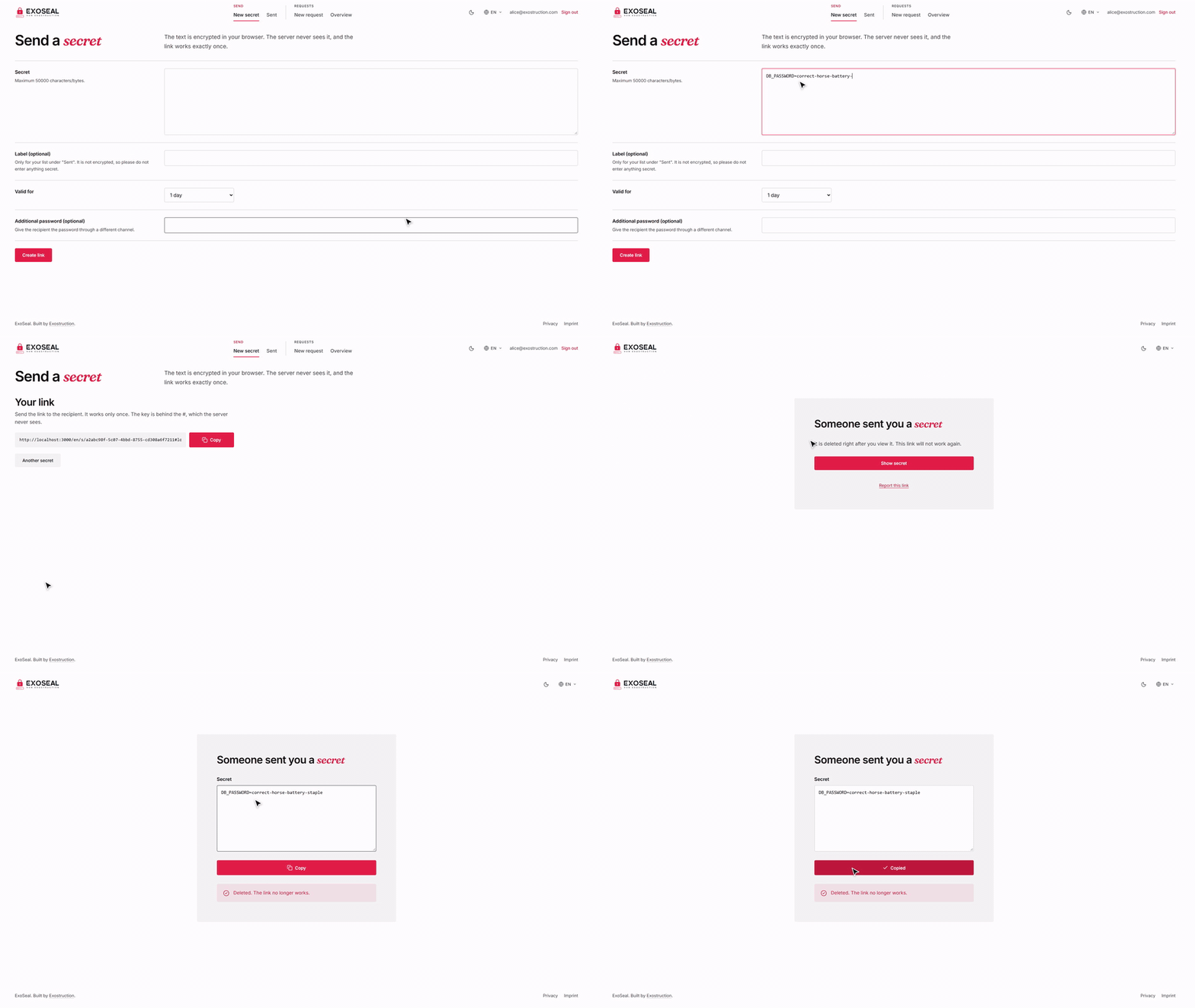
Create a secret, send the link, the recipient reads it once, the link is dead afterwards

// WHAT IT DOES

Small, strict and honest.

Zero knowledge

Encryption and decryption happen in the browser (AES-GCM, ECDH P-256, PBKDF2). The server stores no plaintext, no key, no IP address and no recipient.
Read once

A single database statement returns the secret and deletes it in the same step. Link previews from Slack, Teams or Outlook cannot use it up, because reading is a POST behind a button.

Request link

Send a customer a link with a question. They answer in the browser, without an account or any software. Only you can decrypt the reply, with a passphrase that never leaves your device.

Your login, your rules

Sign in through any OpenID Connect provider with PKCE, limited to the domains or addresses you allow. Opening a link needs no account.

Abuse protection

Rate limits per user and per visitor, quotas, origin checks, a strict CSP and a report button on every link.

Small and boring

.NET 10 backend, Next.js frontend, PostgreSQL and Valkey, all in Docker. Few moving parts that you can actually understand.

// HOW IT WORKS

The key sits behind the hash sign.

Browsers never send the part of a link after the # to a server. That is exactly where the key lives.

What an ExoSeal link looks like

exoseal.de/s/7Hq2xVbN#kT9mW3pLr8Zq…

What the server sees

exoseal.de/s/7Hq2xVbN (ID)

Stays in the browser, never sent

#kT9mW3pLr8Zq… (key)

  1. 1

    Encrypt

    Your browser encrypts the secret with a random key and sends only the ciphertext to the server.

  2. 2

    Send the link

    The link is the address, an ID and the key behind the #. You send it through the channel of your choice.

  3. 3

    Open once

    The recipient opens the link, their browser fetches the ciphertext, the server deletes it in the same step and the browser decrypts locally.

// REQUEST LINK

Ask first, receive later.

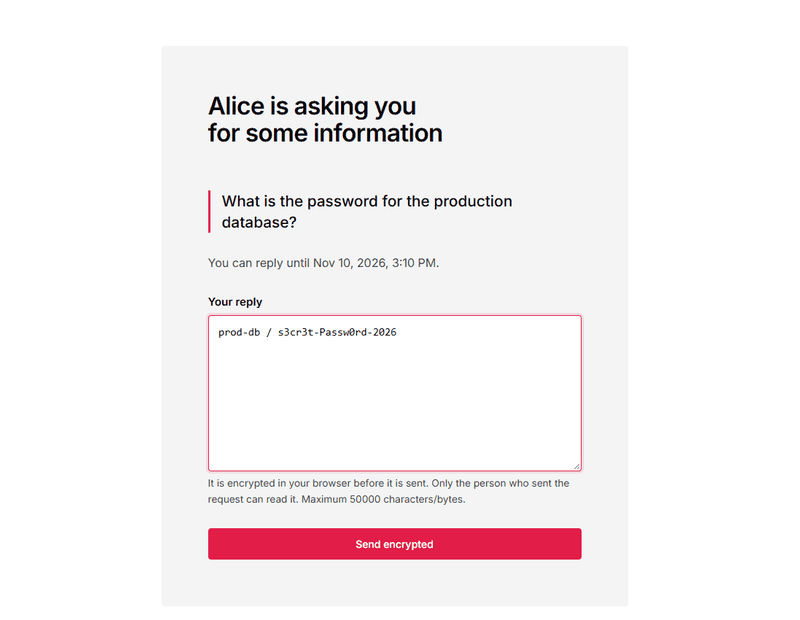
Collect credentials from customers without asking them to install or register anything. The customer sees your question and a field for the reply. You read it once, in your own browser, after entering your passphrase.

  • The customer needs no account and no software.
  • The reply is encrypted to your public key.
  • Your private key is stored only wrapped with your passphrase.

// WHAT IT LOOKS LIKE
Two pages, one path.

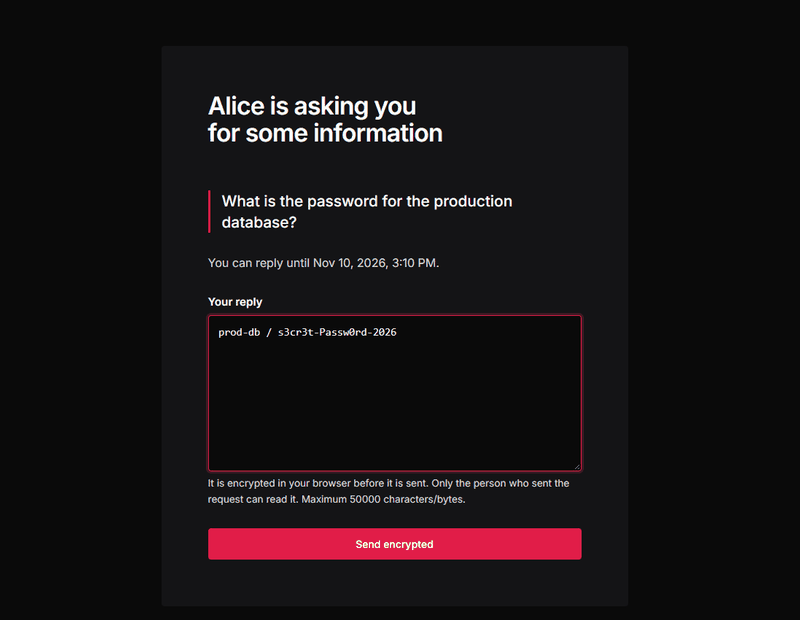
exoseal.de/r/…
The page a customer sees: a question and a field for the replyThe page a customer sees: a question and a field for the reply
What the customer sees: a question and a field for the reply.
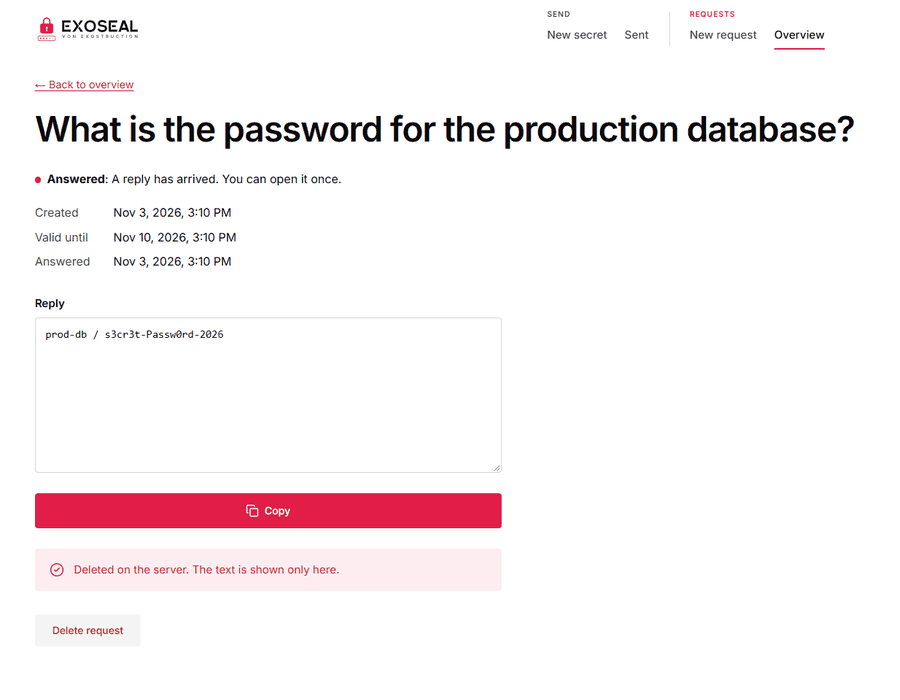
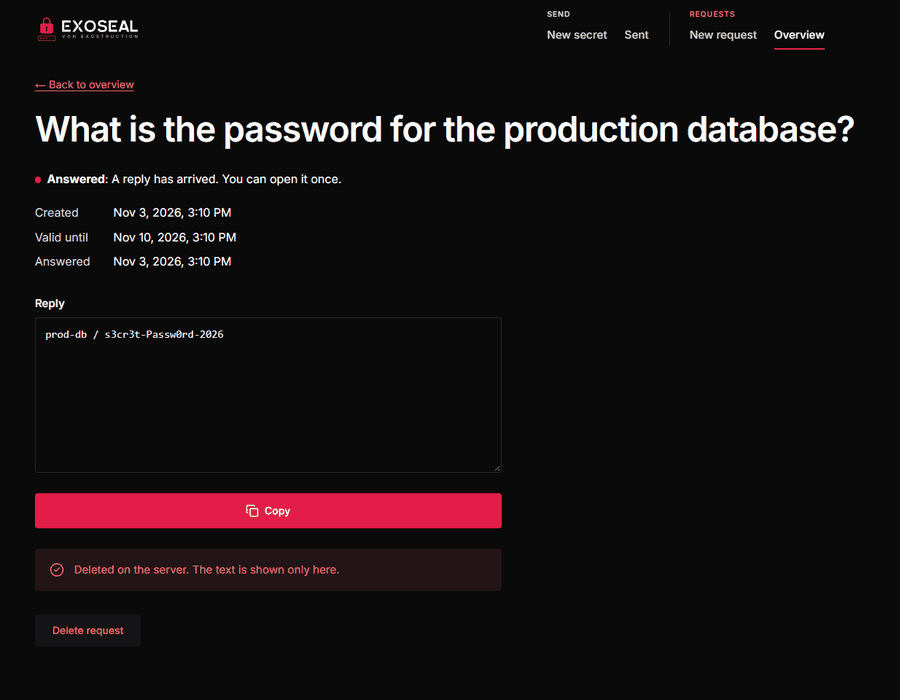
exoseal.de/requests/…
The sender's view: the decrypted replyThe sender's view: the decrypted reply
What you see: the decrypted reply, shown exactly once.

// LIMITS

What ExoSeal protects, and what it does not.

A security tool should state its own limits. The long version is in the threat model.

Protected against

  • Database and backup leaks: only ciphertext is stored.
  • Curious operators reading the database or logs.
  • Link preview bots that fetch links.
  • Parallel claims: exactly one wins.
  • Swapped public keys in the request flow.

Not protected against

  • A compromised server that serves modified JavaScript. This applies to every web-based end-to-end encryption, which is why ExoSeal is open source and self-hostable.
  • A weak passphrase, if the database leaks.
  • A compromised browser or device on either side.
  • Someone who gets the full link before the recipient: the first opener wins.
Read the threat model

// RUN IT YOURSELF

Your instance, your data.

Every organisation runs its own instance with its own login and allowlist. You need a server with Docker, a domain with HTTPS and an OpenID Connect provider such as Google Workspace, Microsoft Entra, Keycloak or Zoho. Ready-made images exist for amd64 and arm64.

License: GNU AGPL-3.0. If you run a modified version as a public service, you must offer the source of your version. The name and logo are not covered by the license.

Setup guide on GitHub

// QUESTIONS

Frequently asked questions.

  • No. The key sits in the part of the link behind the #, which browsers never send to a server. The server stores only ciphertext, a random ID and the expiry. Anyone reading the database or the logs finds no plaintext.

  • Nothing. Bots fetch links with GET, but reading a secret is a POST behind a button. The secret stays intact for the real recipient.

  • No. Opening a link or answering a request link works without an account and without software. Only people who create links sign in.

  • Yes, that is the intended way. ExoSeal runs with Docker Compose using ready-made images, its own database container and your OpenID Connect login. The setup guide and operations manual are in the GitHub repository.

  • The GNU AGPL-3.0. You may use, inspect and modify it. If you run a modified version as a public service, you must offer the source of your version.

  • Encryption runs in the browser with established algorithms (AES-GCM, ECDH P-256, PBKDF2). One limit remains: as with any web-based encryption, the server delivers the code that runs. That is why the source is open and the threat model is public. For extremely high stakes we recommend a native tool such as age or GPG.

// QUESTIONS?

Questions about ExoSeal?

Write to us if you want to use ExoSeal or something is unclear. We reply within one business day.
Get in touch